Schedule Meetings Across Google and Microsoft Outlook
Your team is on Google. Your hiring managers are on Outlook. TEAMCAL AI connects both — showing real-time availability across Google Workspace and Microsoft Outlook in one unified view. Schedule with anyone, on any platform, without switching tools or asking for times.
The Story: When Two Calendar Systems Collide
It starts small. A few emails to ask for availability. A few back-and-forth messages. Then the volume grows.
A global enterprise software company (1,000+ employees) had their recruiting team on Google Workspace and legacy hiring managers on Microsoft Outlook. The 3-person US recruiting team manually coordinated 50+ interviews weekly — scheduling blind, without any cross-calendar visibility.
"Our legacy people still are on Microsoft, so we don't have access to their calendars, so we're having to mainly do everything manually."
"I scheduled 12 yesterday for the rest of the week. By myself. That's the problem."
400+ minutes per week lost to scheduling logistics. They deployed TEAMCAL AI. IT connected both calendar systems in 45 minutes. Cross-platform visibility was instant.
One Unified View Across Google and Outlook
TEAMCAL AI connects to both Google Workspace and Microsoft Outlook at the admin level — no individual installs, no user opt-ins, no calendar migrations. Your IT team sets it up once, and every scheduler sees real-time availability across both platforms instantly.
- Google Calendar users see Outlook colleagues' free/busy in Meeting Central
- Outlook users continue using Outlook — zero workflow change
- ZARA (Zero-friction AI Scheduling and Routing Agent) AI schedules across both systems from Slack, Teams, or the web
- Candidates self-schedule against combined availability — they never know which system interviewers use
No calendar data is stored. No calendar data is cached. TEAMCAL AI pulls real-time availability on demand and discards it after the session.
Measured Impact
Interviews/week automated across Google and Outlook
One-time IT setup for both calendar systems
Minutes/week recovered from manual scheduling
Calendar data stored — real-time access only
“Our legacy people still are on Microsoft, so we don't have access to their calendars, so we're having to mainly do everything manually.”
Cross-Platform Scheduling Features
Real-Time Cross-Calendar Availability
Google and Outlook free/busy pulled simultaneously, never cached. Every scheduling decision is based on live calendar data from both platforms.
Meeting Central for Panels
All combinations of panel availability across both platforms in seconds. No more toggling between Google Calendar and Outlook to find overlapping windows.
Zara AI in Slack & Teams
Natural language scheduling across both calendars from your team chat. Say "schedule a panel with Sarah (Google) and James (Outlook) this week" and Zara handles it.
Job Booking Links
Candidates self-schedule against combined Google + Outlook panel availability. They see open slots — not which platform each interviewer uses.
See Cross-Platform Scheduling in Action
Watch how TEAMCAL AI connects Google and Outlook calendars — and schedules a panel interview across both in seconds.
Request a DemoThe Cross-Platform Calendar Problem
Google Calendar users cannot see Outlook free/busy. Outlook users cannot see Google availability. These are two completely separate ecosystems, and neither platform has built a native bridge to the other.
For teams where everyone is on one platform, this is invisible. But the moment your organization has both Google Workspace and Microsoft 365 — which happens more often than most realize — the coordination tax begins.
The most common scenarios:
- Recruiting teams on Google scheduling with hiring managers on Outlook
- Post-acquisition integration where Company A uses Google and Company B uses Microsoft
- IT migrations where both systems are live during the transition period
- Enterprise divisions where legacy groups remain on Microsoft while newer teams adopt Google
The manual workaround is always the same: email someone, ask for their available times, wait for a reply, cross-reference against other participants, propose a time, wait again. For panel interviews with 3-4 interviewers across both platforms, this process can take 30-45 minutes per interview.
"Our legacy people still are on Microsoft, so we don't have access to their calendars, so we're having to mainly do everything manually."
Time zones compound the problem. When your Google-based recruiter in San Francisco needs to schedule with an Outlook-based hiring manager in London and a candidate in Singapore, the lack of cross-platform visibility turns a 2-minute task into a 20-minute research project — per interview.
"I scheduled 12 yesterday for the rest of the week. By myself. That's the problem."
Migrations create their own chaos. During a Google-to-Microsoft or Microsoft-to-Google transition — which can take 6-18 months for large enterprises — both systems are fully live. Schedulers must check both. Meeting invites must go to the right system. Calendar conflicts span two platforms. And most scheduling tools only support one at a time.
Who Needs Cross-Platform Calendar Scheduling
Three personas consistently face the cross-platform calendar problem:
1. Talent Acquisition teams with mixed-platform hiring managers
This is the most common scenario. The recruiting team uses Google Workspace — it is often the standard for HR and people operations teams. But engineering, finance, or executive leadership may run on Microsoft 365. The recruiting coordinator has no visibility into hiring manager calendars. Every interview requires a manual ask. At 50+ interviews per week, this consumes the equivalent of a full-time employee's work hours in scheduling logistics alone.
2. Post-acquisition companies with two IT environments
When Company A acquires Company B, the IT environments rarely merge immediately. One runs Google Workspace, the other runs Microsoft 365. Integration projects can take years. During this period, cross-company meetings — which are now technically internal meetings — require the same email-for-availability process as external scheduling. Teams that were previously efficient become bottlenecked by calendar incompatibility.
3. Enterprise teams with legacy Microsoft divisions
Large enterprises often have newer divisions (engineering, product, design) on Google Workspace and legacy divisions (legal, finance, manufacturing) on Microsoft 365. These teams need to collaborate frequently, but their calendar systems do not talk to each other. The administrative staff who coordinate cross-divisional meetings spend disproportionate time on what should be a simple task.
How TEAMCAL AI Bridges Google and Outlook
TEAMCAL AI connects to both calendar systems at the organizational level. Here is the 5-step process:
Step 1: IT setup in 45 minutes
Your IT administrator connects TEAMCAL AI to both Google Workspace and Microsoft 365 using admin-level OAuth 2.0 authentication. No individual user installations. No opt-in prompts. No calendar permissions per person. One setup, both platforms connected. The enterprise software company in our case study completed this in under an hour.
Step 2: Instant cross-platform visibility in Meeting Central
Once connected, Meeting Central displays real-time availability from both Google Calendar and Outlook side by side. Schedulers see who is free, who is busy, and where overlapping windows exist — regardless of which platform each person uses. No data is stored. Availability is pulled live on each request.
Step 3: Schedule from Slack, Teams, or web interface via Zara AI
Zara AI works wherever your team works. In Slack, type "@Zara schedule a panel with Sarah and James this Thursday afternoon." Zara checks both calendar systems — Sarah on Google, James on Outlook — finds the overlapping availability, proposes times, and books the meeting. The same works in Microsoft Teams or the TEAMCAL AI web app.
Step 4: Panel and multi-person scheduling across both platforms
For interview panels with 3-5 interviewers spanning Google and Outlook, Meeting Central shows all valid time combinations instantly. What previously took 30+ minutes of email coordination now takes seconds. Zara can also handle this autonomously: "Schedule candidate Maria's onsite with the 4-person panel next week" — done.
Step 5: Candidate self-scheduling via booking links
Job booking links surface combined availability from all panel members, regardless of their calendar platform. Candidates see available time slots and select one. They never need to know — or care — whether their interviewers use Google or Outlook. The experience is seamless and professional.
What Changes When Both Calendars Are Connected
Without TEAMCAL AI (manual cross-platform scheduling):
- Email hiring managers to ask for availability — wait hours or days for replies
- Open 4 separate calendar tabs to check a 4-person panel's availability
- Manually convert time zones between Google and Outlook (which display differently)
- Schedule 12 interviews per day by hand — one recruiter, all manual
- Reschedule when conflicts emerge (which you could not see in advance)
- Candidate experience suffers from slow response times and frequent changes
With TEAMCAL AI (connected cross-platform scheduling):
- Meeting Central shows all Google and Outlook availability side by side — no emails needed
- Panel availability for all combinations appears in seconds, not hours
- Automatic timezone handling across both platforms — no manual conversion
- Zara AI handles outreach, proposes times, books meetings, and sends confirmations
- Conflicts are visible before scheduling, not after
- Candidates self-schedule through booking links that reflect live combined availability
The recruiting team in our case study went from 400+ minutes per week of manual scheduling to near-zero coordination overhead. The senior recruiter who previously scheduled "12 yesterday for the rest of the week, by myself" now uses Zara AI or candidate booking links for the same volume in a fraction of the time.
Enterprise Security: Zero Calendar Data Storage
When you connect two enterprise calendar systems to a third-party tool, security is the first question. TEAMCAL AI was designed for this concern from the ground up.
Zero calendar data storage. TEAMCAL AI never stores calendar data. Not from Google. Not from Outlook. Not cached, not logged, not backed up. Every availability check is a real-time API call. When the session ends, the data is gone. This is a fundamentally different architecture from tools that sync calendar data to their own servers.
Real-time access only. Calendar information is retrieved dynamically on each request via OAuth 2.0 authenticated API calls. There is no persistent copy of your organization's calendar data on TEAMCAL AI servers.
Compliance and certifications:
- GDPR compliant — no personal calendar data retained
- SOC 2 ready — security controls aligned with SOC 2 framework
- HIPAA-aware — designed to support healthcare scheduling requirements
- OAuth 2.0 — industry-standard authentication for both Google and Microsoft APIs
- TLS encryption in transit, AES-256 at rest for any configuration data
- LLM privacy — calendar data is never used for AI model training
For full details, visit our Trust Center, Security Architecture, and LLM Privacy Policy.
The Cost of Manual Cross-Platform Scheduling
The math is straightforward. For a recruiting team coordinating 50 interviews per week across Google and Outlook:
- 50 interviews x 8 minutes each = 400 minutes/week of manual scheduling
- 400 minutes x 52 weeks = ~347 hours/year = roughly 500 hours accounting for peak hiring periods
- At $50/hour average recruiter cost = $25,000+/year in scheduling overhead alone
But the direct time cost is only part of the story:
- Missed candidates: Scheduling delays of 2-3 days mean top candidates accept other offers. In competitive hiring markets, speed is a deciding factor. Every day of scheduling lag increases candidate drop-off.
- Interview no-shows: Meetings booked at the wrong times — because timezone conversion was done manually or availability was stale — result in no-shows and reschedules. Each no-show wastes the interviewer's prepared time and the recruiter's coordination effort.
- Recruiter burnout: When 60-70% of a recruiter's day is spent on logistics instead of sourcing and candidate engagement, attrition follows. Replacing a recruiter costs 50-200% of their annual salary.
The ROI of AI scheduling is not theoretical. For the enterprise software company in this case study, recovering 400+ minutes per week translated to the equivalent of hiring an additional recruiter — without adding headcount. See the full recruiter case study for the complete breakdown.
Client Sync Plan: Built for Enterprise TA Teams
The Client Sync plan is designed specifically for enterprise talent acquisition teams that need cross-platform calendar scheduling:
- $45/user/month — 10 seat minimum
- Only active schedulers need paid seats. Recruiting coordinators, sourcers, and TA ops who do the scheduling pay. Hiring managers and interview panelists are free.
- Cross-calendar scheduling — Google Workspace and Microsoft 365 connected simultaneously
- Zara AI — natural language scheduling from Slack, Teams, or web
- Meeting Central — side-by-side availability across both platforms
- ATS integration — connect to your applicant tracking system for seamless candidate workflows
- Dedicated onboarding and training — team training to maximize adoption
- One Team at a Time guarantee — start with one team, expand only when you see results
14-day free trial. No credit card required. IT connects both calendar systems, your team uses Meeting Central and Zara for 14 days, and you measure the impact before committing.
See all pricing plans or request a demo to see cross-platform scheduling in action with your team's actual calendar systems.
Frequently Asked Questions
Yes. TEAMCAL AI connects to both Google Workspace and Microsoft 365 at the admin level. IT deploys in 45 minutes — one setup for both platforms. Once connected, all users appear in the same Meeting Central view regardless of which calendar system they use. Google and Outlook availability is displayed side by side in real time.
No. IT deploys TEAMCAL AI at the admin level using OAuth 2.0 for both Google Workspace and Microsoft 365. Individual users — including Outlook hiring managers — do not install anything, do not opt in, and experience zero change to their workflow. Their calendar availability is accessed in real time via the API, and meetings appear on their Outlook calendar automatically.
Yes. TEAMCAL AI connects to both calendar systems simultaneously, so it works throughout the entire migration period. As users move from Google to Microsoft (or vice versa), TEAMCAL AI continues to pull availability from whichever system each user is on. No re-implementation needed when the migration completes.
Zara AI checks both Google Calendar and Microsoft Outlook calendar systems when you make a scheduling request in Slack. When you say "@Zara schedule a meeting with James this week" and James is on Outlook, Zara reads James's Outlook availability in real time, proposes available times, and books the meeting on his Outlook calendar — all from your Slack channel.
No. TEAMCAL AI uses real-time API access only. Calendar data from Google and Outlook is retrieved dynamically for each scheduling request and never cached, stored, or backed up on TEAMCAL AI servers. When the session ends, the data is gone. Visit our Trust Center for full details.
Yes. Job booking links surface combined availability from all panel members — Google and Outlook alike — as a single set of available time slots. Candidates select a time without any visibility into the underlying calendar platforms. The experience is seamless and professional, regardless of how complex the backend calendar setup is.
Download the Free Guide
Get the 10-step framework for eliminating scheduling chaos across Google and Outlook.
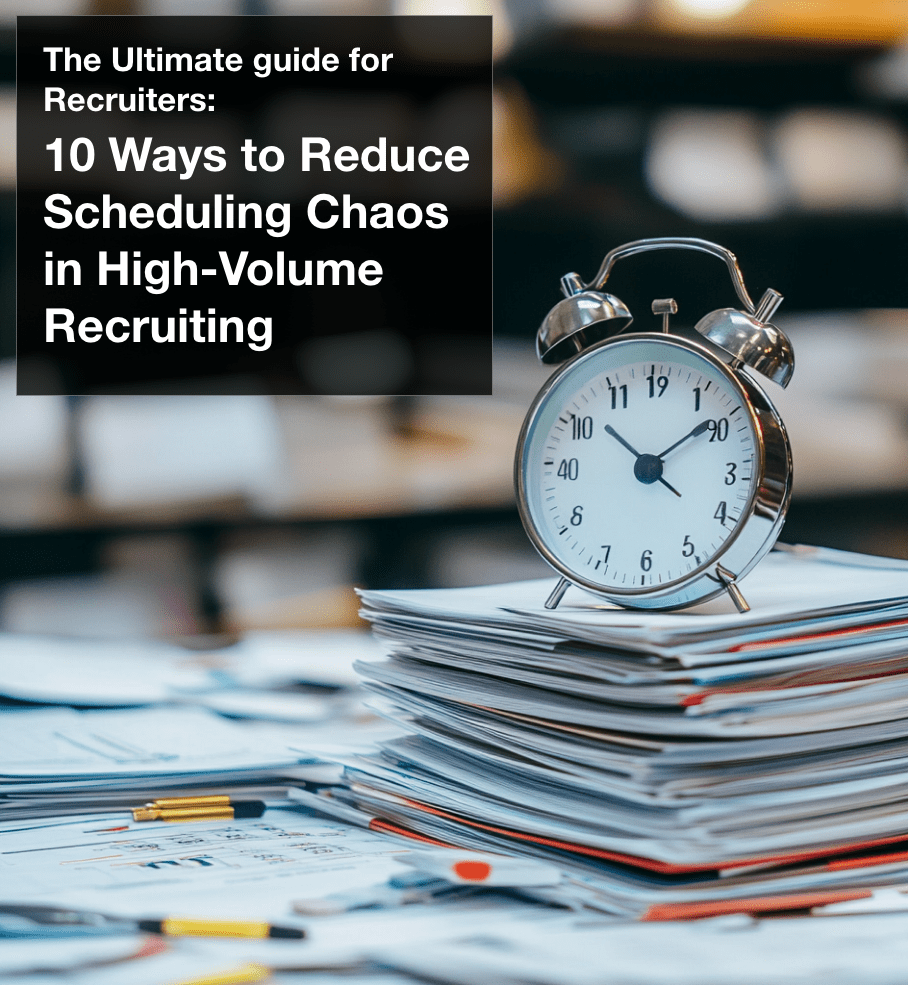
10 Ways to Reduce Scheduling Chaos in High-Volume Recruiting
The complete guide for teams dealing with cross-calendar complexity and high interview volume.